/01
Read the silhouette.
Layer clean outlines over your animation to compare poses, spot tangencies and make the action read.
Good OnionSkin · for Autodesk Maya
See the before and after, right in your viewport. Shape clearer poses, cleaner arcs and more deliberate spacing.
Windows · Maya 2020, 2022–2026 · Viewport 2.0
Make the
in-between
visible.
Less scrubbing. More seeing.
Onion skinning puts neighboring poses in the same view. See the path of a hand, the spacing of a step and the silhouette of a turn without holding every frame in your head.
/01
Layer clean outlines over your animation to compare poses, spot tangencies and make the action read.
/02
See where a pose came from and where it is going. Control the number of ghosts and the distance between them.
/03
Pin a contact, an extreme or an anticipation. Hold that reference while you work through the rest of the shot.
Your viewport. Your judgement.
From a first bouncing ball to a detailed character performance, show only the information you need to make the next decision.
Get to know every control ↗Create layers from complete meshes or selected polygon faces. Separate the motion you are studying from the rest of the shot.
Use Camera Space for moving shots, or compare poses in world space. Update an outline’s camera when you change your view.
Give past and future their own colors. Adjust opacity, fade distant ghosts and use X-Ray to see through geometry.
Choose defaults for new layers and a cache budget. Background warm-up prepares nearby frames while Maya is idle.
An instruction manual you can touch
Click a button, checkbox or setting. Find out exactly what it does.
The interactive manual
Select a panel, then click a highlighted control. Its explanation appears below. This is a guide to the real Maya interface, so you can explore without changing your scene.
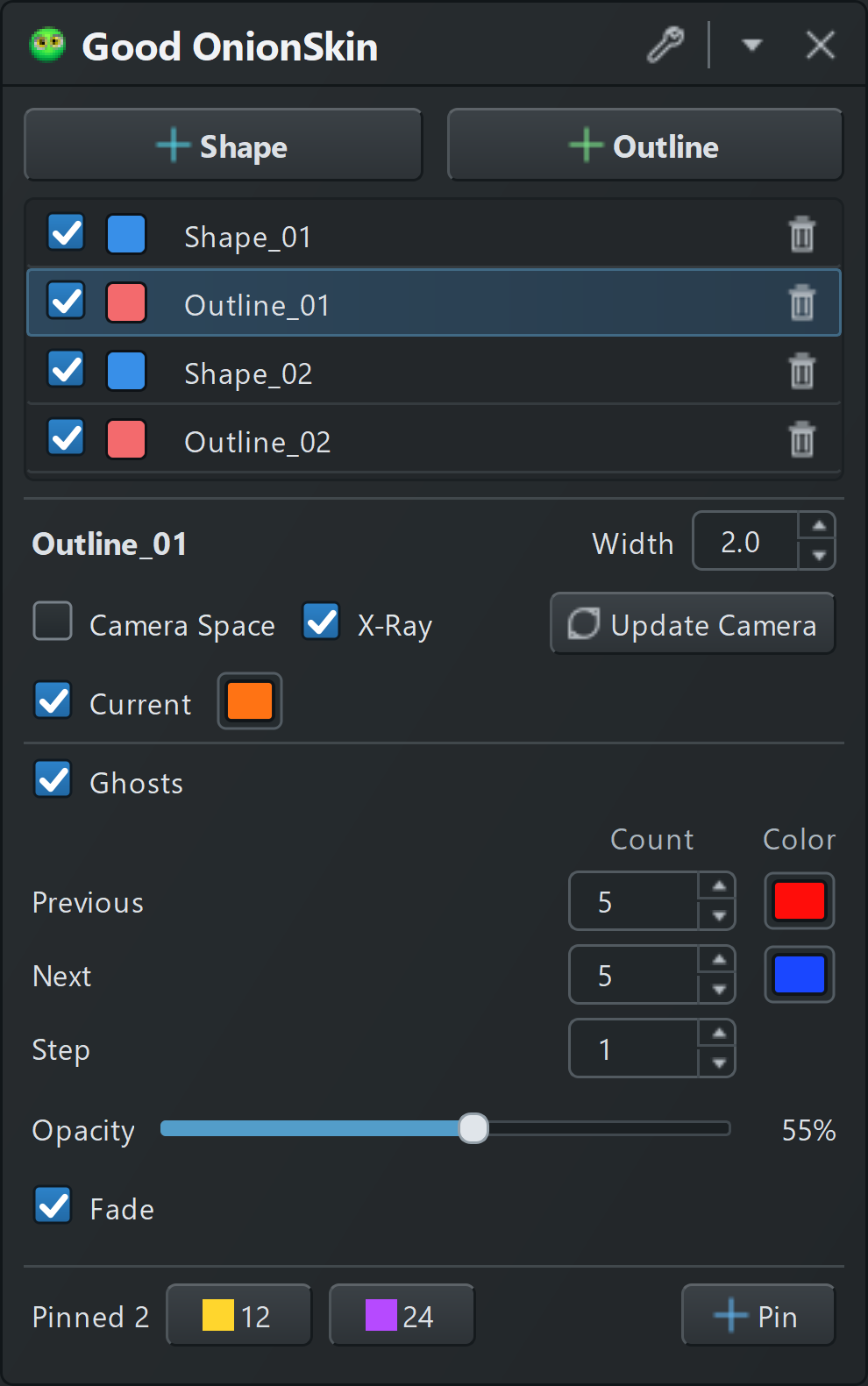
Compare silhouettes with an Outline layer. Width and Update Camera are available in this mode.
Click the panel or use the control list → Create a filled ghost layer from the selected polygon meshes or faces. Use it to compare volume, overlap and the position of a body part across frames.
Select just the hand or foot faces when you want to focus on one part of a performance.
Compare filled surfaces with a Shape layer. The ghost, color and pin controls work just like Outline.
Click the panel or use the control list →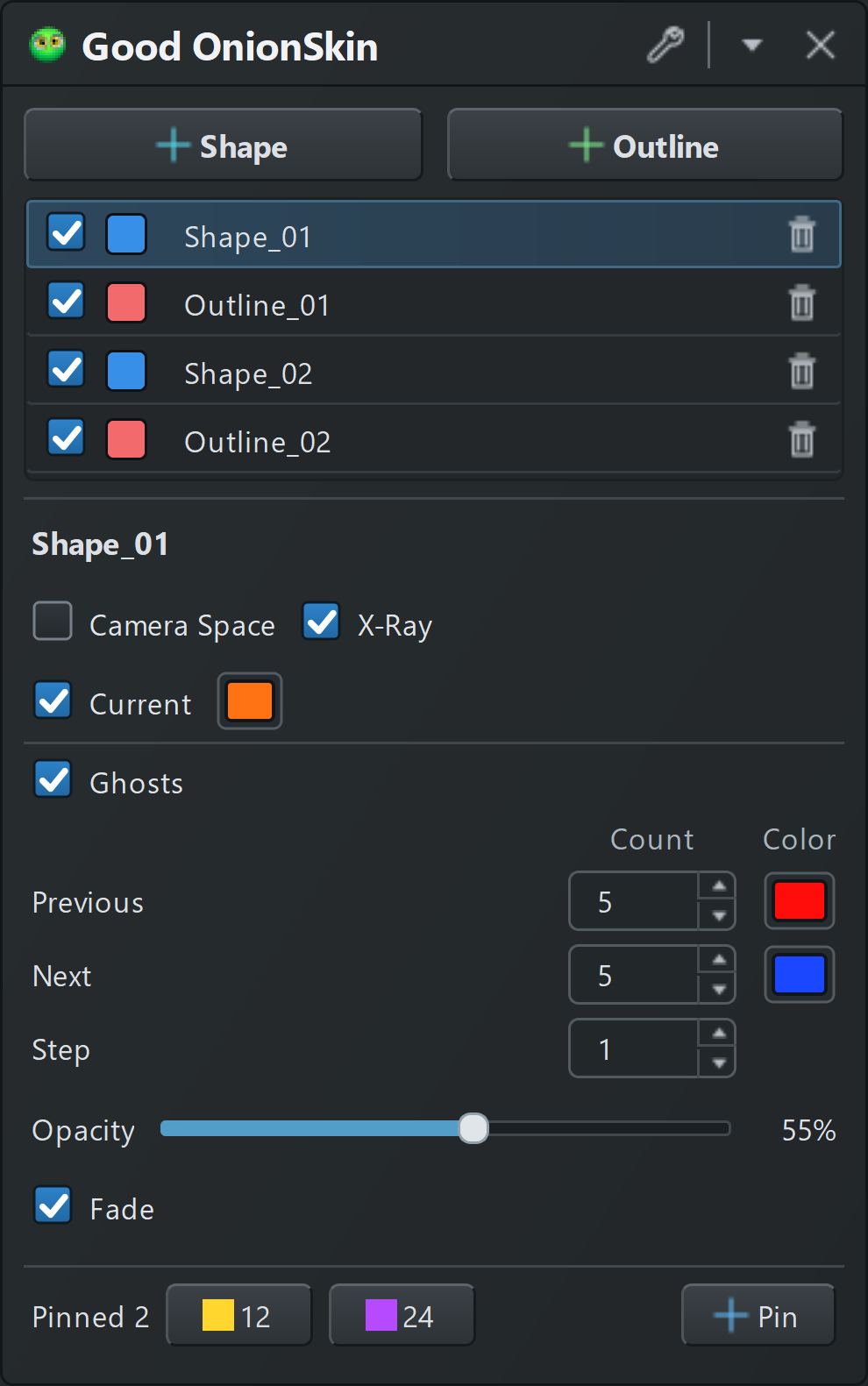
Create a filled ghost layer from the selected polygon meshes or faces. Use it to compare volume, overlap and the position of a body part across frames.
Select just the hand or foot faces when you want to focus on one part of a performance.
Control how nearby frames are prepared and stored.
Click the panel or use the control list →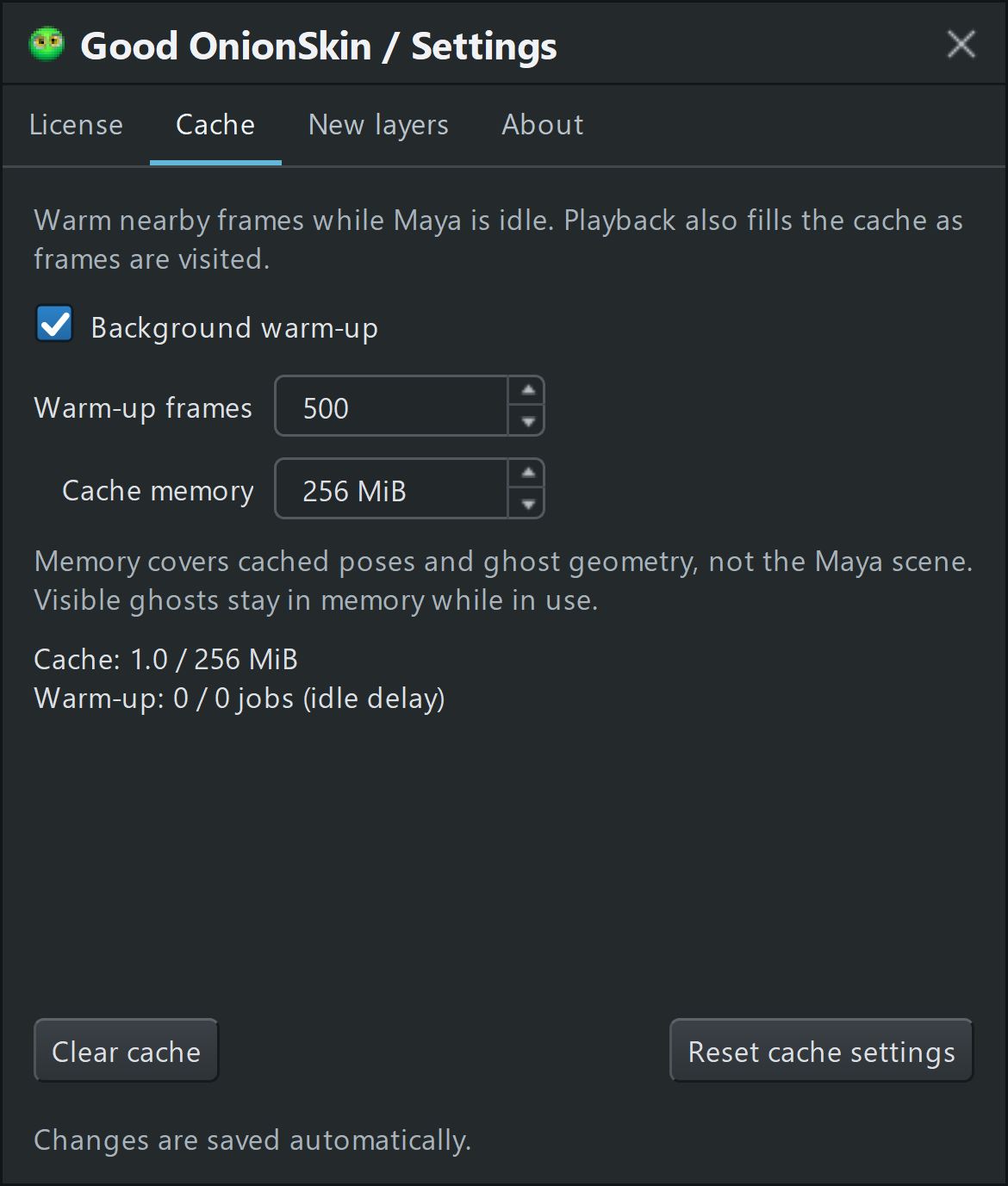
Prepare nearby frame samples while Maya is idle. Playback also fills the cache as frames are visited.
Set your starting point. These defaults apply to new layers only.
Click the panel or use the control list →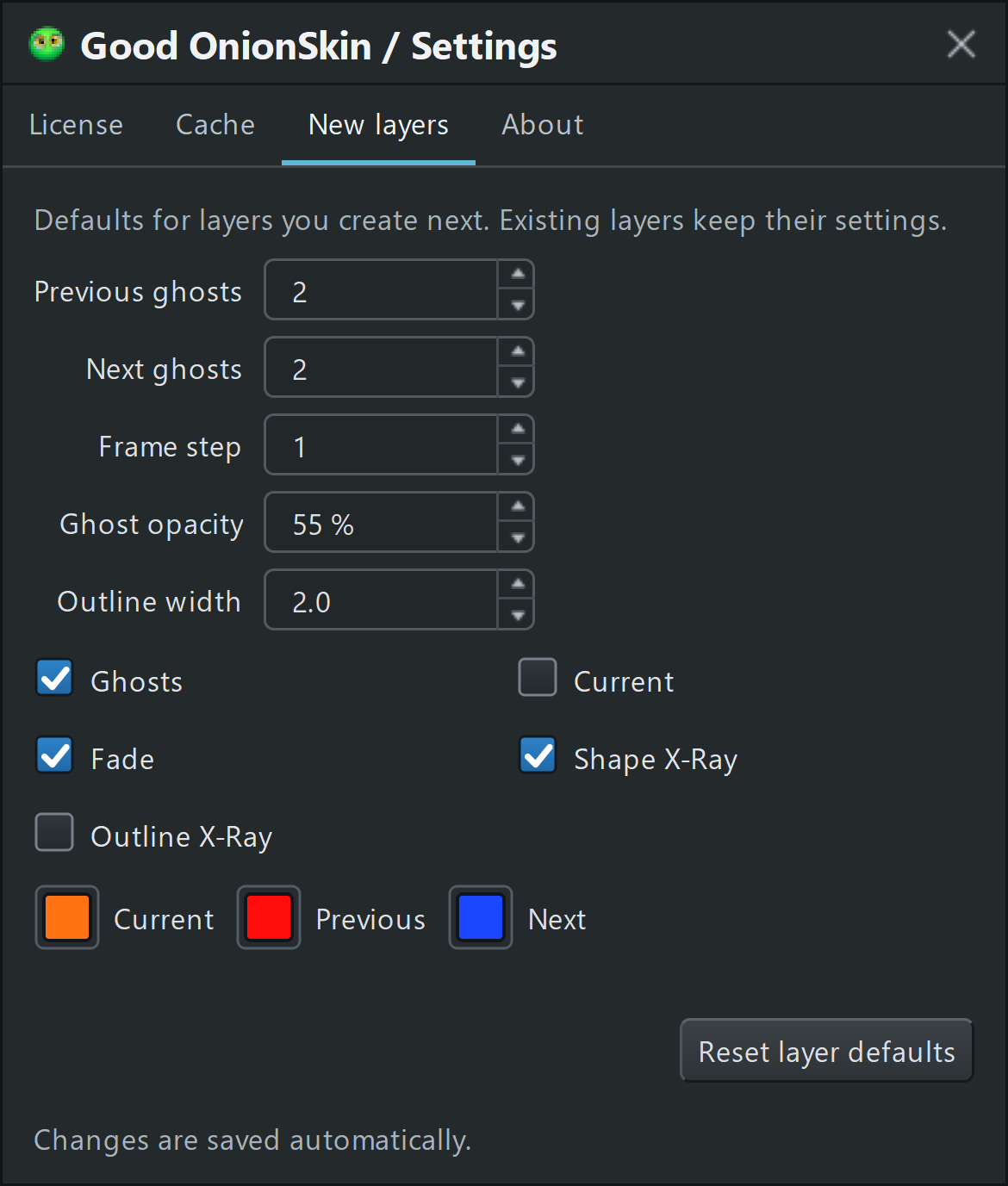
Choose the initial previous-ghost count for layers you create next. Existing layers keep their settings.
Check the current session or see the first-launch activation window below.
Click the panel or use the control list →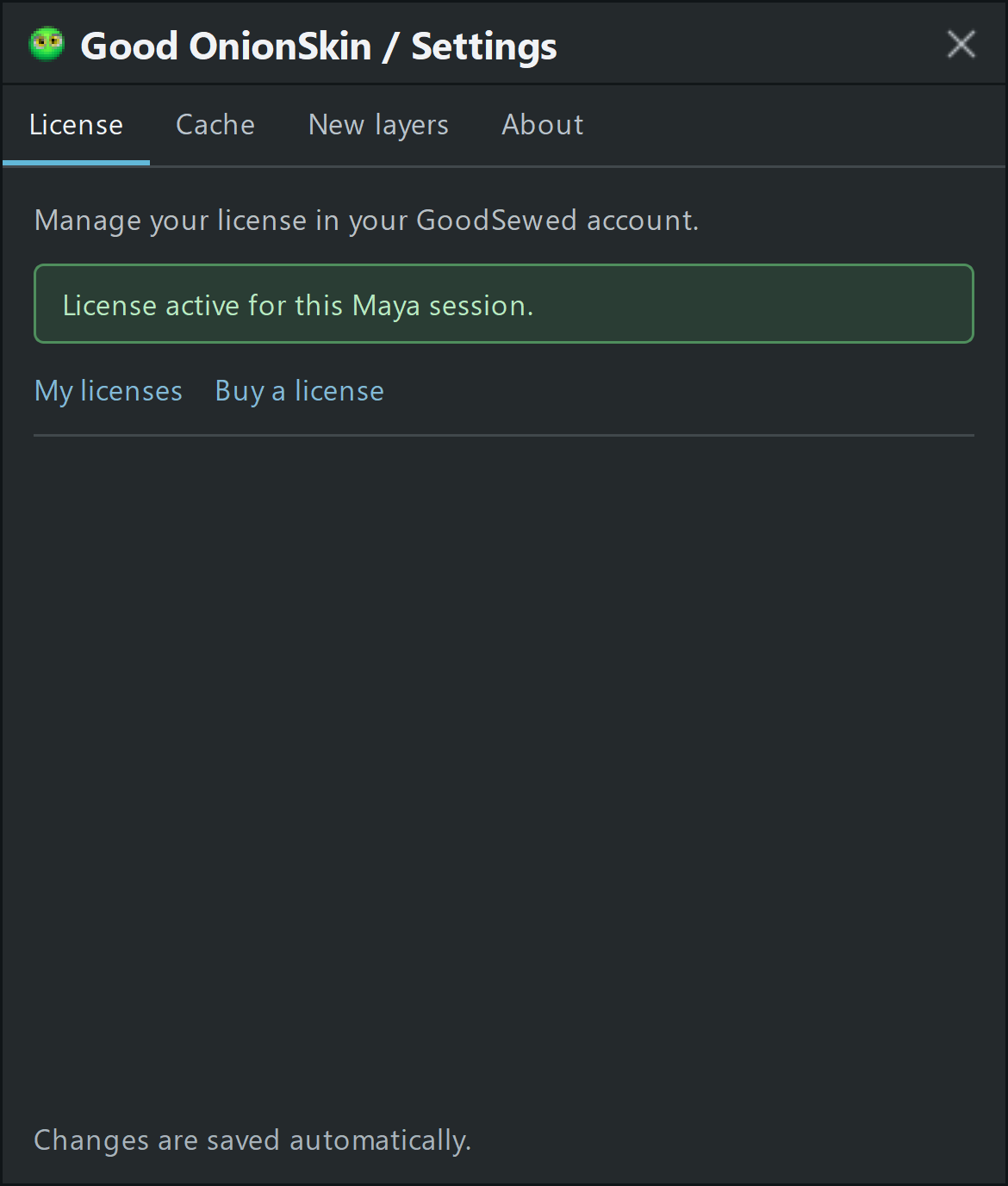
Check the activation status for this Maya session. On first launch, use the OnionSkin license key from your GoodSewed account.
Version details, the people behind the tool and support diagnostics.
Click the panel or use the control list →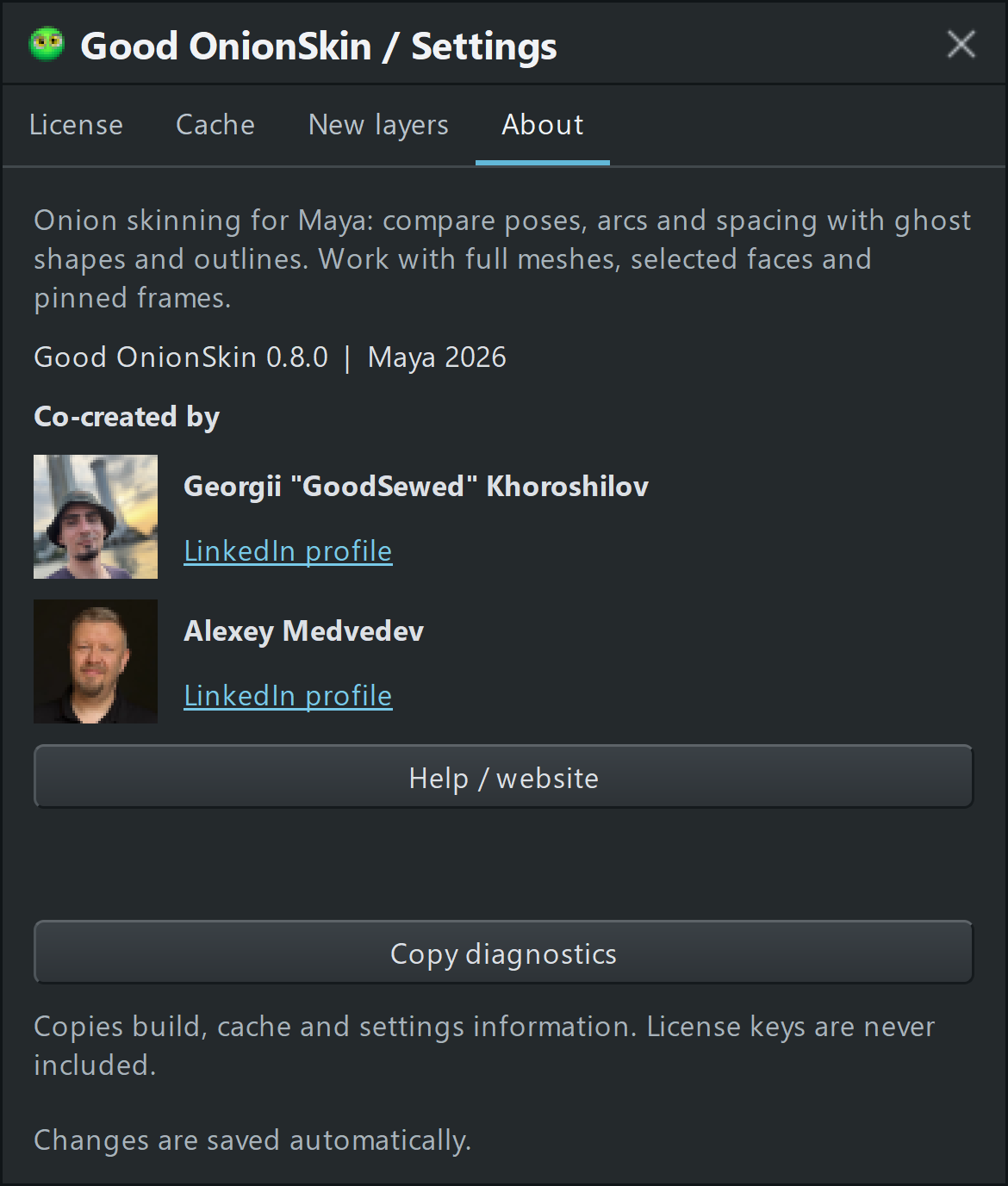
See the installed Good OnionSkin version and the Maya version of the current session.
Interface reference: Good OnionSkin 0.8.0. Screenshots show example settings. Availability of some controls depends on the selected layer.
From download to your first ghost
Get your installer from your account and extract the entire ZIP. Keep Install_GoodOnionSkin.py beside the GoodOnionSkin folder.
Select the shelf where you want the tool. Drag Install_GoodOnionSkin.py from the extracted folder into a Maya viewport, then click the new shelf
button.
On first launch, use the OnionSkin key from My licenses. You can return to your license information through the panel’s Settings.
Select an animated polygon mesh or a few faces and click Shape or Outline. Move along the timeline. Start with two previous ghosts, two next ghosts and Step 1.
Compatibility
Windows x64 · Autodesk Maya 2020, 2022, 2023, 2024, 2025 and 2026 · Viewport 2.0
Restart Maya after updating an already loaded version. Maya 2021, Maya 2027, macOS and Linux are not included in this release.
A little more context
Yes. Start with a bouncing ball or a simple walk. Seeing neighboring poses together makes spacing and arcs easier to inspect. You can begin with the default ghost settings and add more controls as you need them.
Shape gives you filled ghost surfaces to compare volume and position. Outline emphasizes the silhouette. Both can work with full meshes or selected polygon faces, and each layer has its own display settings.
Yes. Pin the frame on the selected layer. It stays available while you move through the shot. Click a pinned frame to jump to it, or right-click it to edit its settings.
Downloads and licenses live in your account. Product owners can contact support there. For a technical issue, Settings → About → Copy diagnostics collects useful information without including your license key.
Good OnionSkin for Maya
Put the poses you need right where you work.
License and download access through your GoodSewed account.
Co-created by Georgii “GoodSewed” Khoroshilov and Alexey Medvedev.